Modernizing a Legacy Page
TIMELINE
October 2025 - November 2025
MY ROLL
Product Designer at Schneider Electric
SOFTWARE USED
Figma
SUMMARY
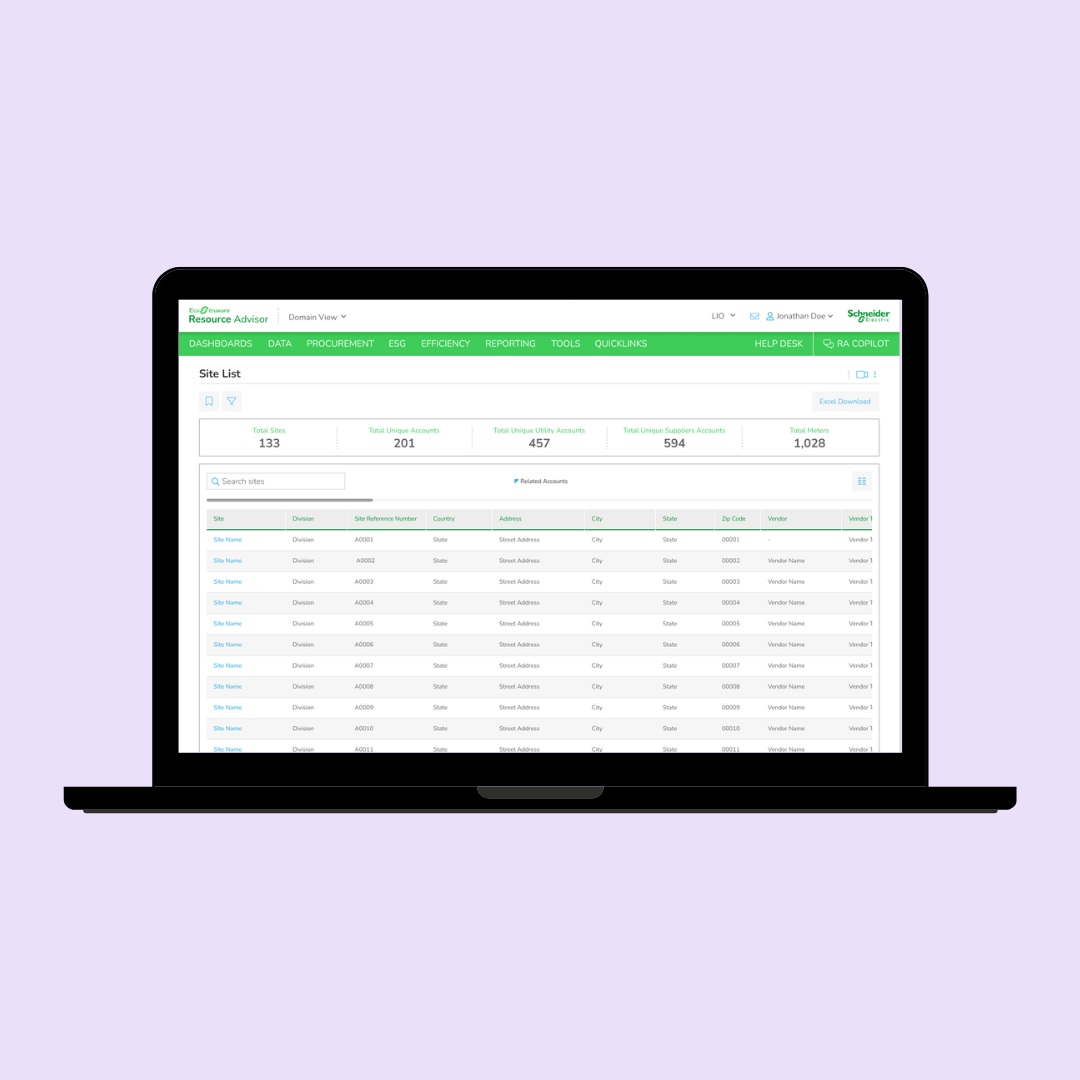
This project focused on modernizing a high-traffic legacy page within Schneider Electric’s sustainability platform, Resource Advisor Classic. The page allowed users to browse site locations and view associated account information, but the existing experience had usability and customization limitations that impacted efficiency and overall user experience.
I collaborated closely with a business analyst to understand project requirements, conducted conversations with users to better understand their workflows and pain points, and worked alongside developers throughout the design process to ensure technical alignment and feasibility.
After synthesizing business and user needs, I proposed an initial design solution intended to significantly improve the browsing and customization experience. However, through collaboration with engineering, we discovered that the proposed solution was not technically feasible within the constraints of the existing backend architecture.
Rather than treating this as a blocker, I used it as an opportunity to rethink the experience and design a more scalable solution. The final design introduced a new approach to table customization within Resource Advisor Classic, improving flexibility, visibility, and usability while remaining compatible with technical constraints. This project reinforced the importance of cross-functional collaboration, adaptability, and balancing user needs with real-world implementation considerations.
LEGACY PAGE
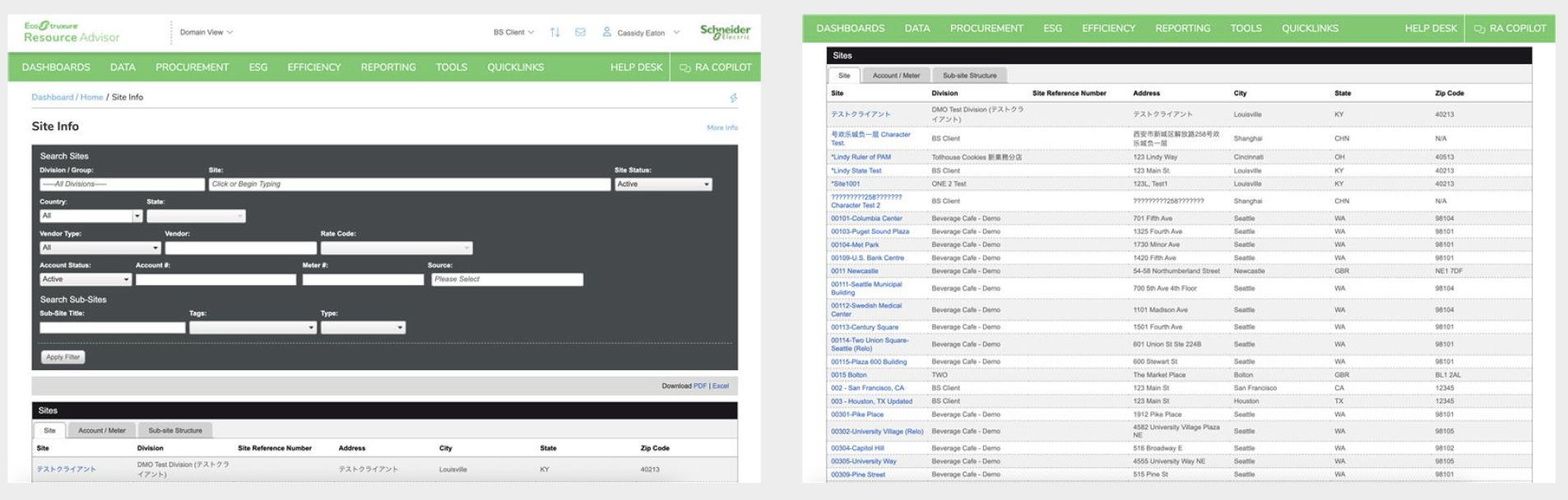
In the legacy page, users can use a simple filter at the top of the page or browse a tabbed table below. The table has three tabs: site, account/meter, and sub-site structure. The site tab displays information about the site location. The Account/meter tab displays a site’s account and meter information. A site can have multiple accounts, and an account can have multiple meters. And the sub-site structure has more site info.
USER INTERVIEWS
To better understand user behaviors and pain points after getting the project from the business analyst, I conducted interviews with five users who regularly interacted with the legacy page. Through these conversations, I discovered that users were frustrated with having to switch between multiple tabs to access related information, creating a fragmented and inefficient experience. Many users expressed a need to view critical account and site information simultaneously to improve workflow efficiency and reduce unnecessary navigation.
I also learned that most users were typically visiting the page to locate one or two specific sites rather than browsing the full dataset. As a result, much of the information displayed by default was considered unnecessary and contributed to cognitive overload. These insights helped shape the direction of the redesign by emphasizing visibility, customization, and quicker access to the most relevant information.
ITERATION 1
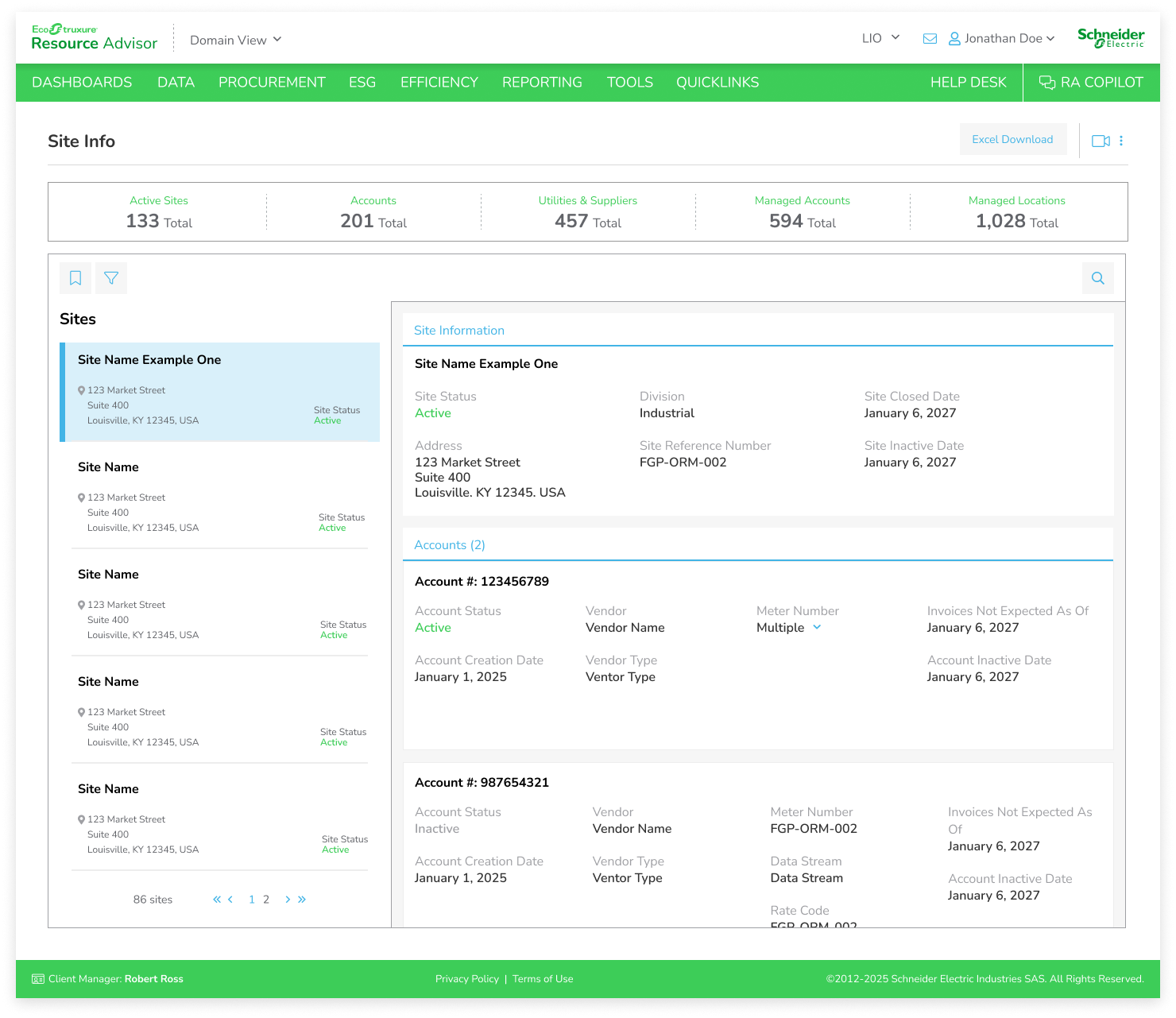
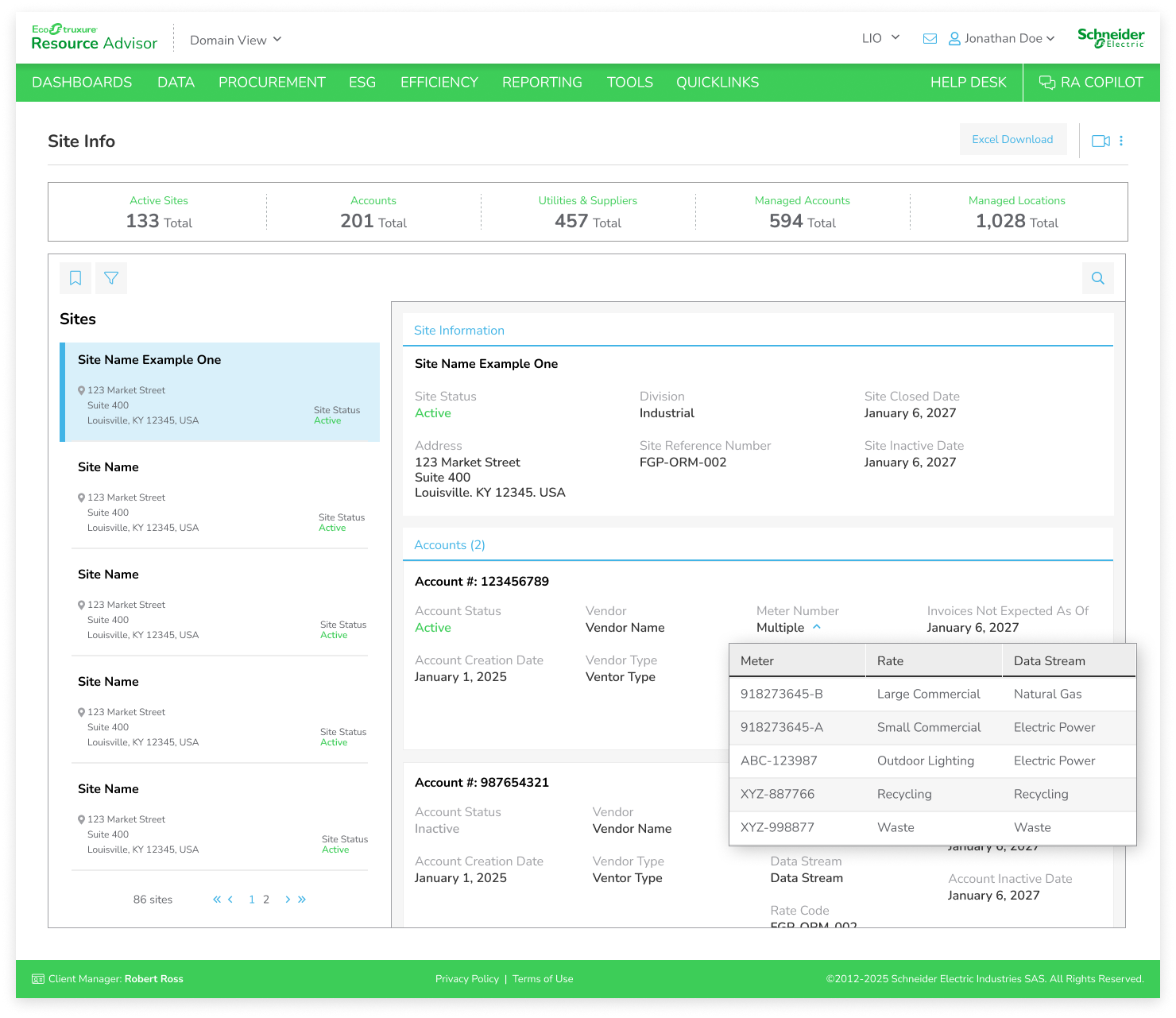
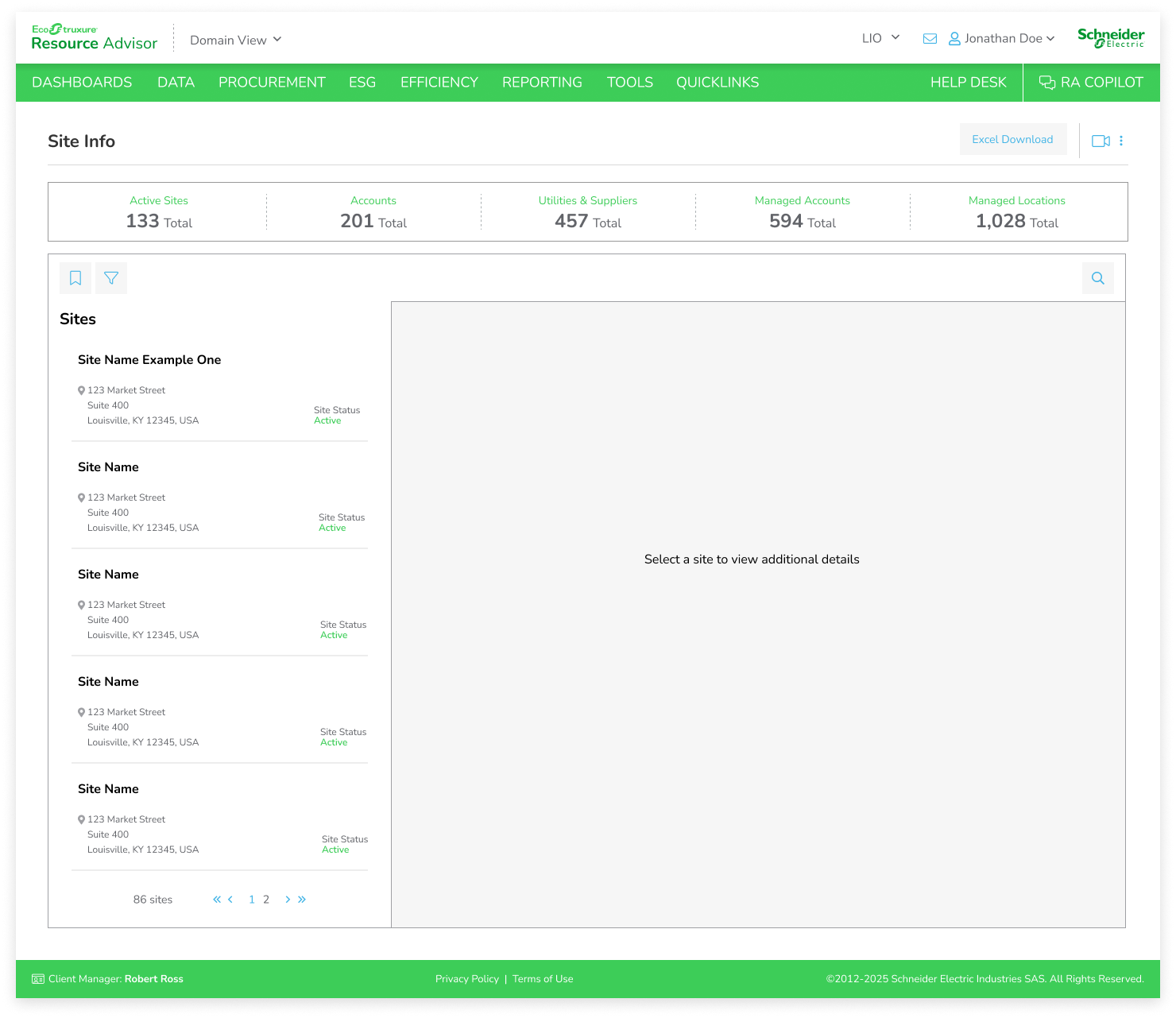
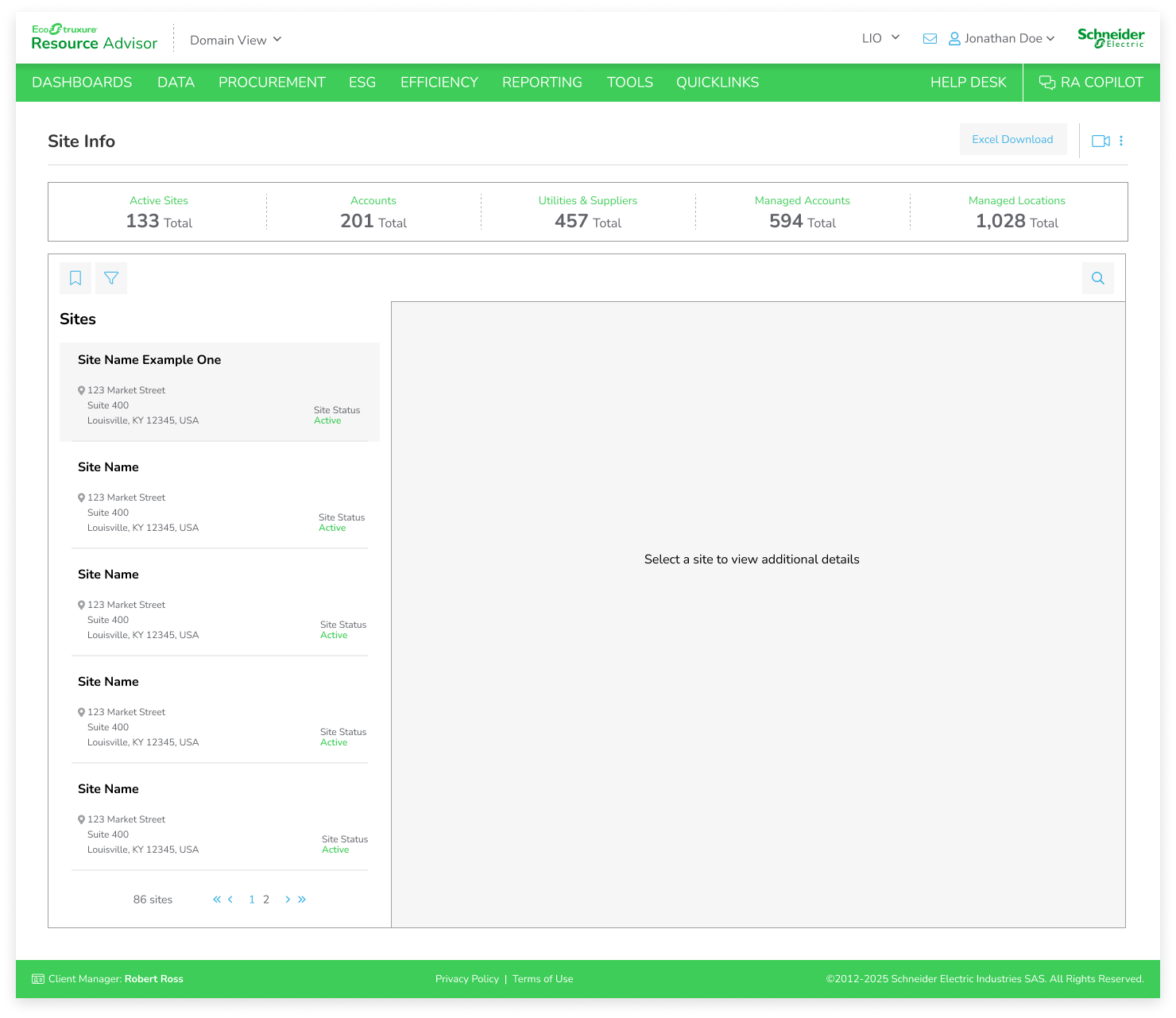
For the first iteration of the redesign, I explored a solution that allowed users to view multiple sites at once while still providing access to deeper account details when needed. The concept aimed to solve the frustration users expressed around switching between tabs by creating a more centralized and efficient browsing experience without overwhelming them with excessive information at once. Users can already create and save filtered views on this page, allowing them to quickly access the specific sites most relevant to their workflows instead of navigating through unnecessary data.
Initial discussions with the business analyst were very positive, as the solution aligned closely with both business goals and user needs. However, after collaborating with developers, we identified backend limitations that made the proposed experience technically unfeasible within the existing system architecture. This required me to reevaluate the approach and redesign the experience within a new set of technical constraints.
-
![]()
Site Selected - displaying info and accounts
-
![]()
Multiple Meters Dropdown
-
![]()
Default State - no site selected
-
![]()
Hover State
ITERATION 2 - FINAL DESIGN
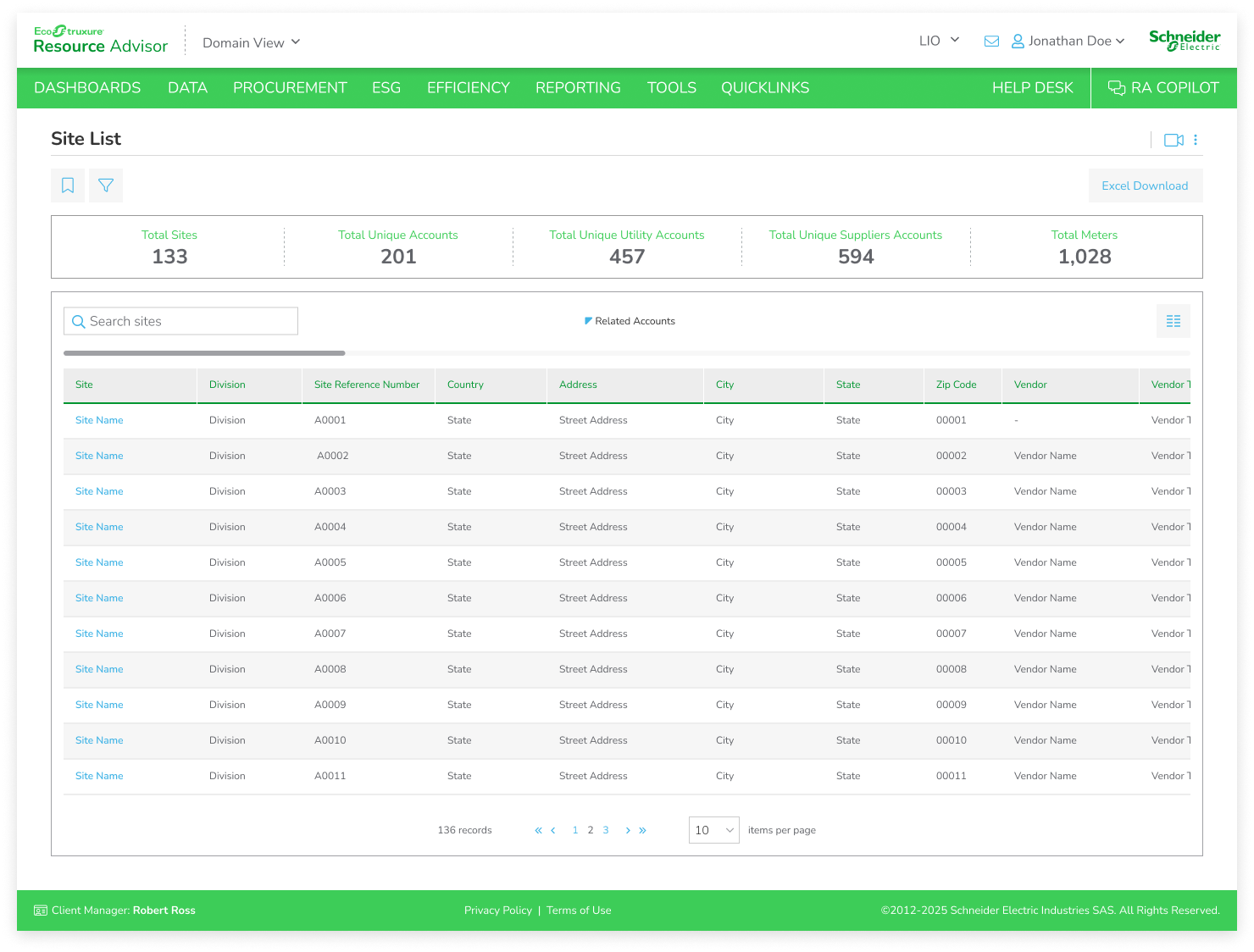
Due to backend limitations, the redesigned experience ultimately needed to rely on a single large data table rather than the more modular approach explored in earlier concepts. With such a high volume of information displayed at once, my focus shifted toward reducing cognitive overload and giving users more control over how they consumed data.
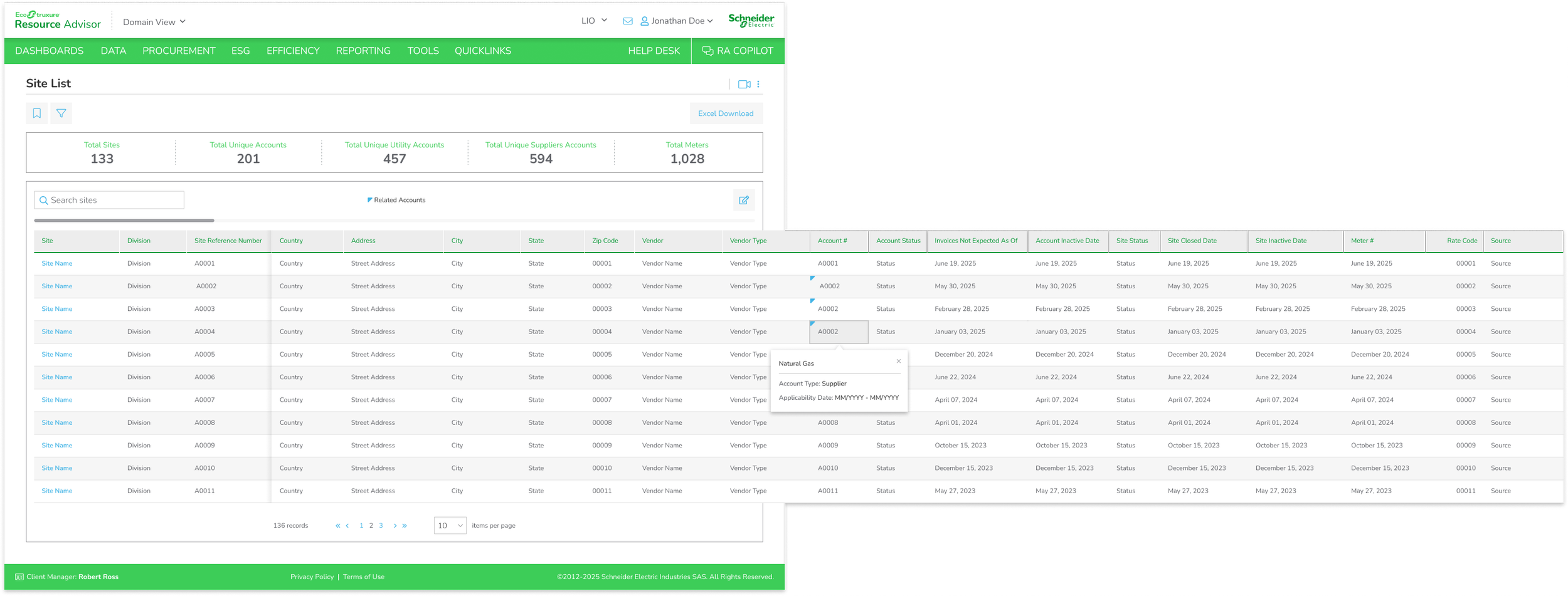
Although basic filtering functionality already existed, user interviews revealed that each person prioritized different pieces of information depending on their workflow. To better support these varying needs, I expanded on an existing but highly limited column customization feature that had only been implemented in a rudimentary way on a single page within the platform.
The redesigned column customization system gave users significantly more flexibility and personalization. Users could reorder columns, show or hide specific data points, and lock important columns while horizontally scrolling through large datasets. Because of identifying columns, some columns cannot be reordered or hidden. I also introduced customizable saved views, allowing users to preserve unique table configurations tailored to their specific workflows and preferences.
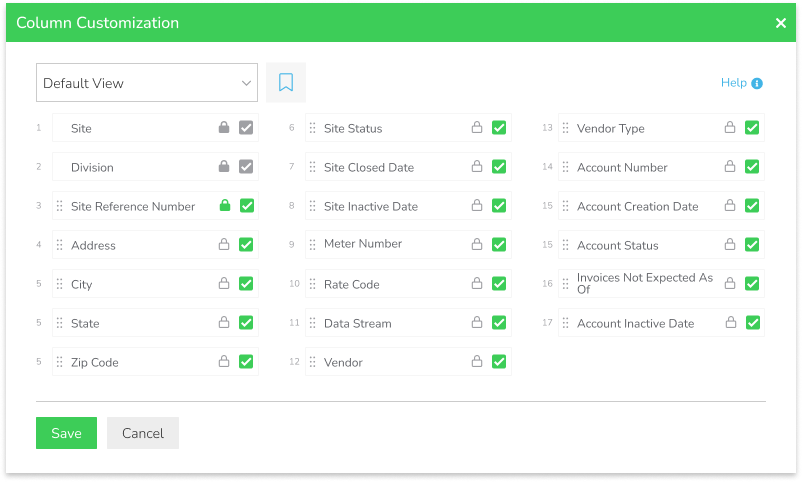
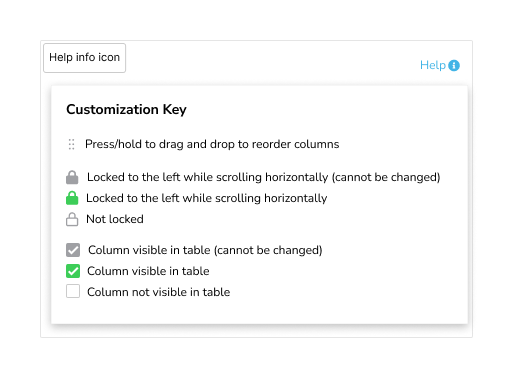

By evolving a previously minimal feature into a more robust and scalable system, the final solution improved usability, reduced information overload, and created a more adaptable experience for a wide range of users working within complex datasets.
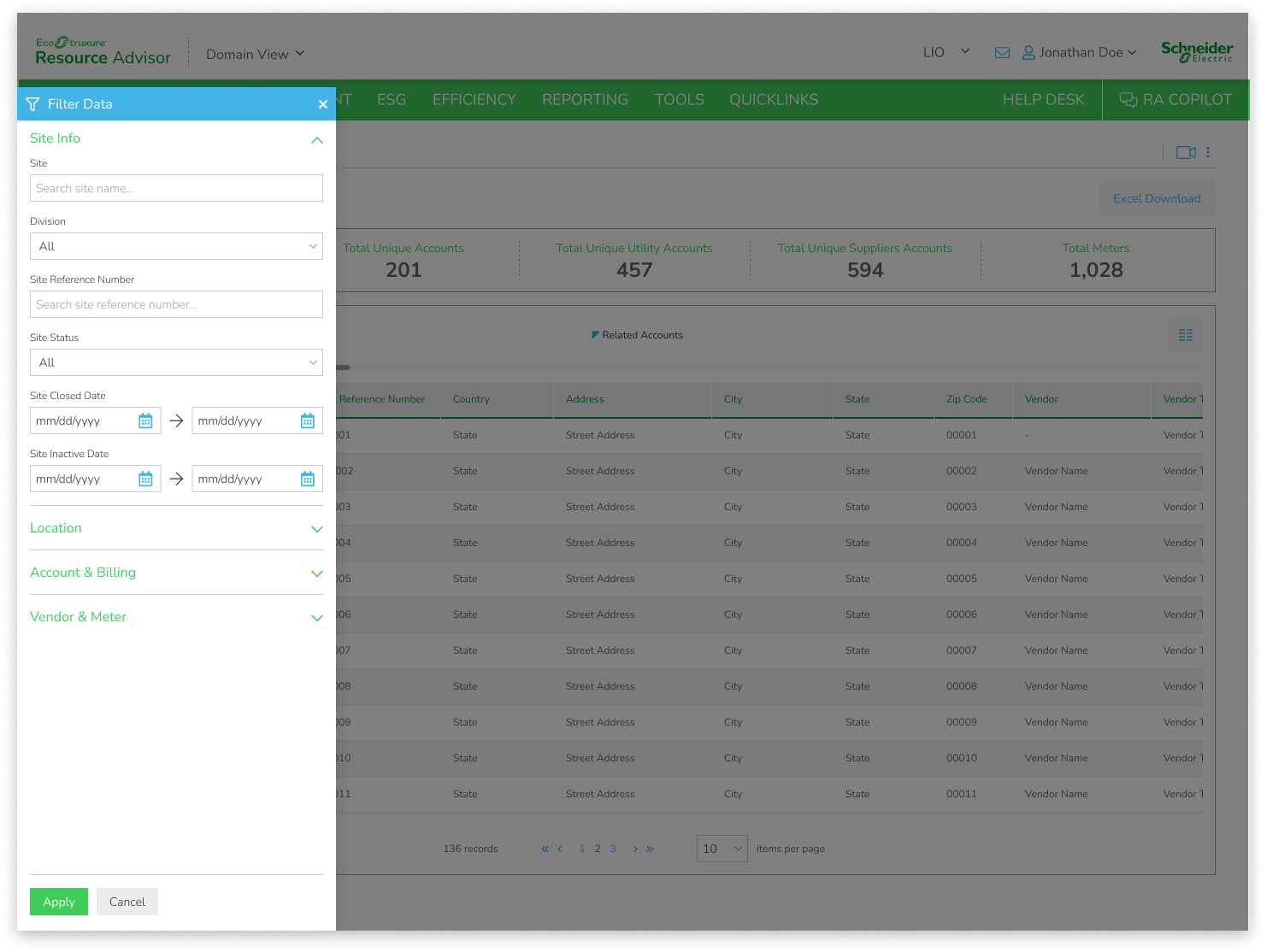
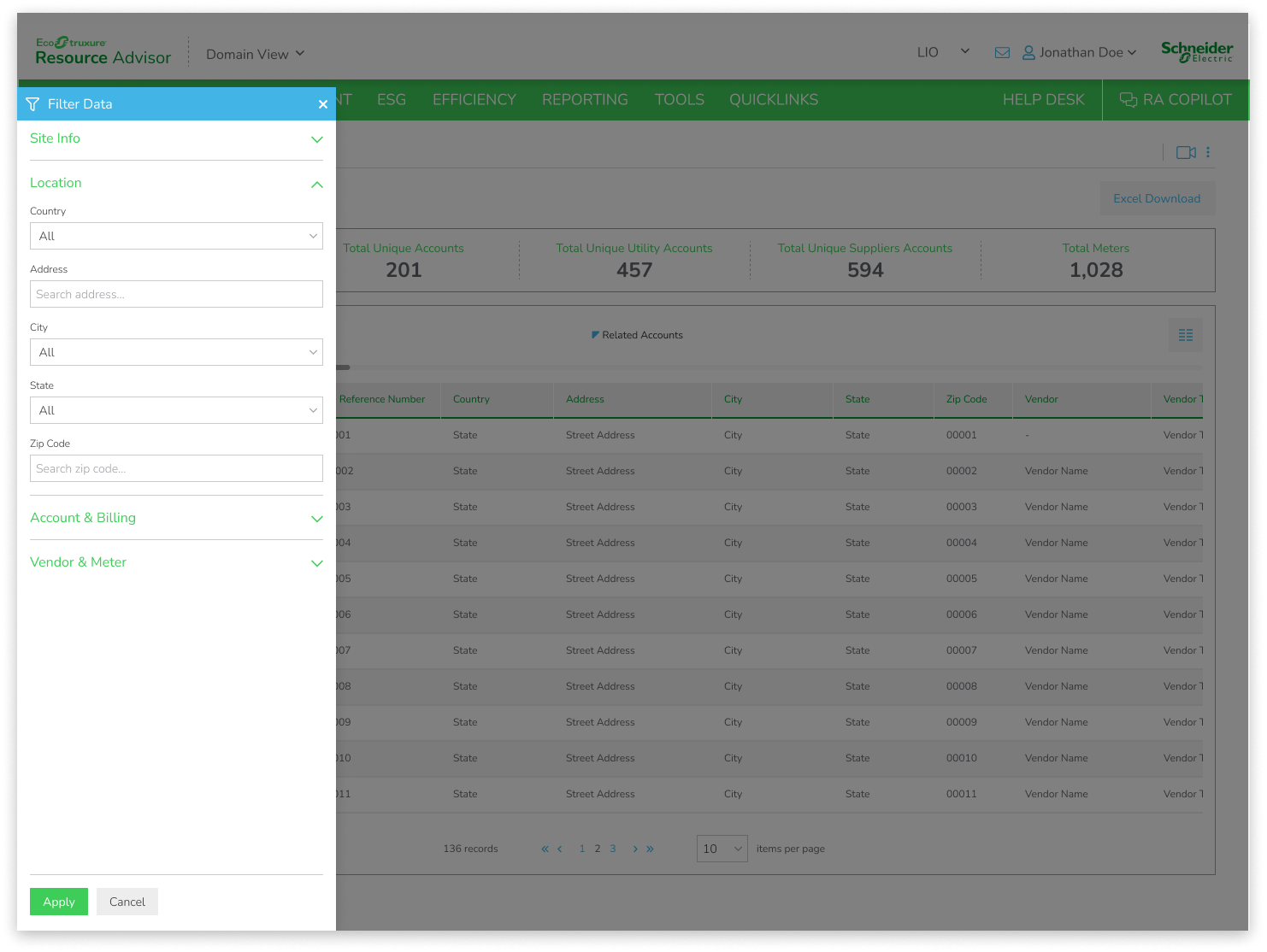
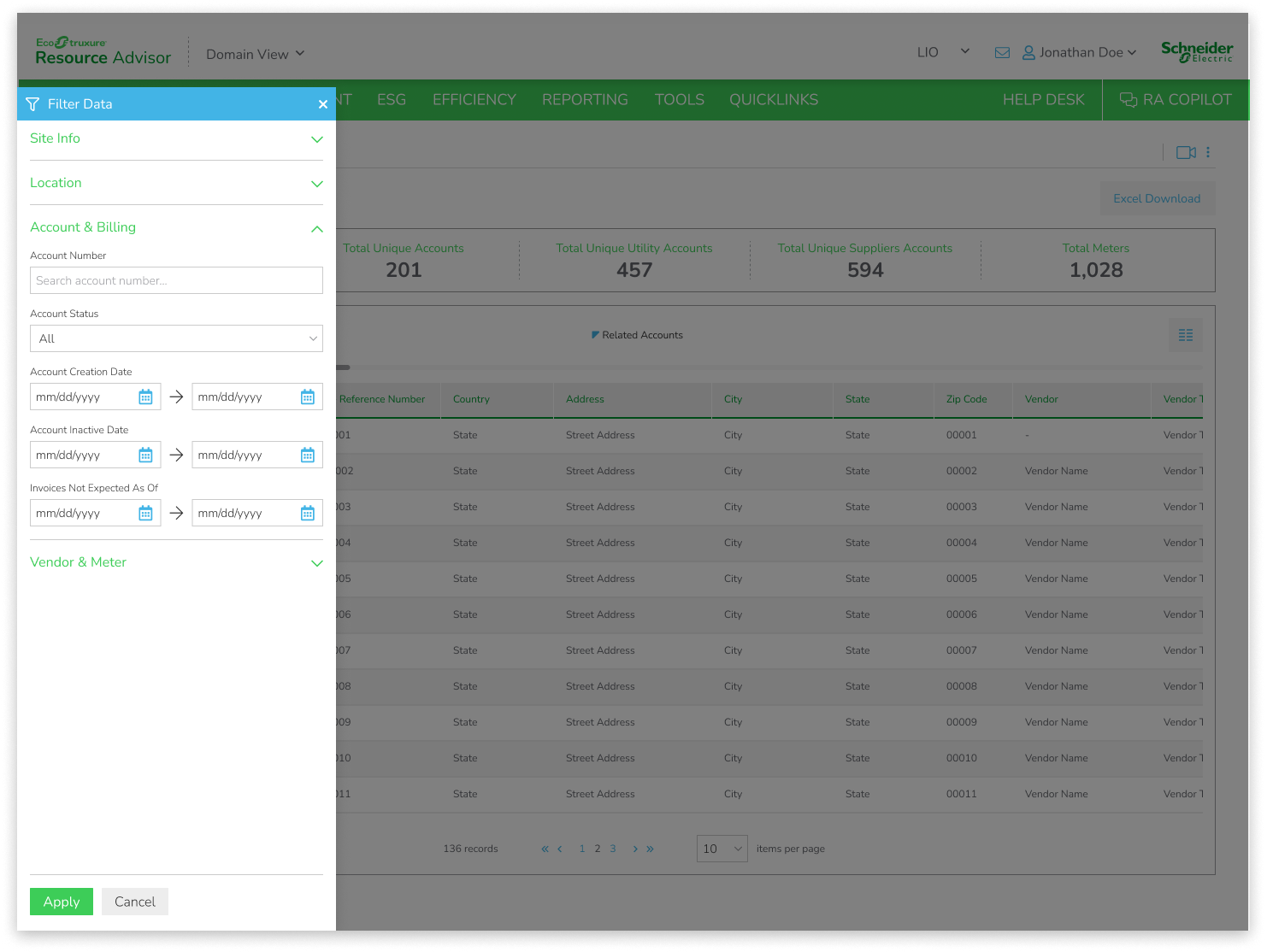
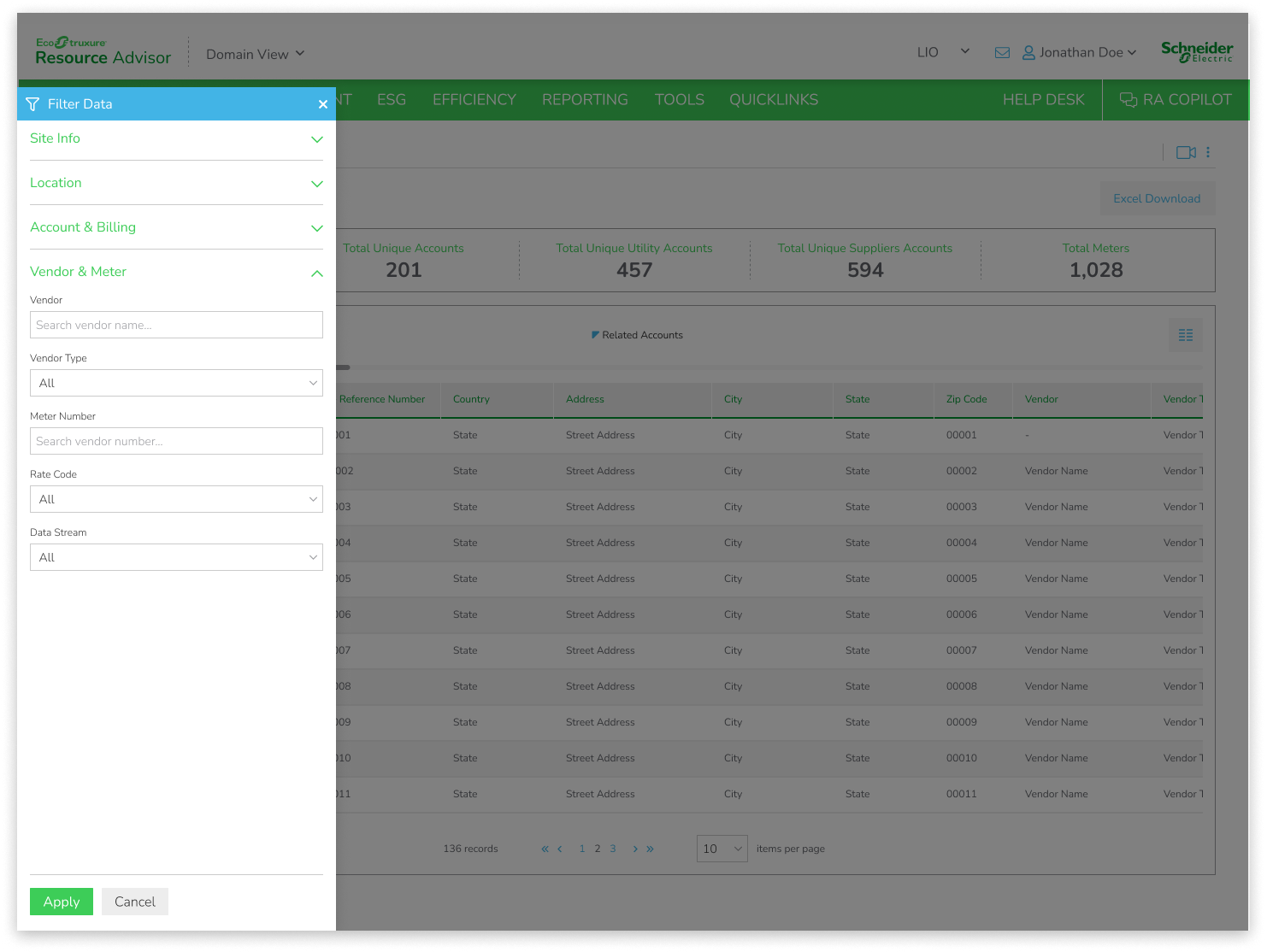
Lastly, I updated the filter to match our modern design system.
-
![]()
Filter Flyout - Site Info
-
![]()
Filter Flyout - Location
-
![]()
Filter Flyout - Account & Billing
-
![]()
Filter Flyout - Vendor & Meter
REFLECTION
This project reinforced the importance of designing within real-world technical constraints while still advocating for a strong user-centered experience. While my initial concept focused on a more modular and segmented way of viewing data, collaborating with engineering helped me understand early that backend limitations would require a different approach. Rather than viewing this as a setback, it pushed me to rethink the problem from a systems perspective and focus on scalability within the existing architecture.
One of the biggest takeaways was the value of deeply understanding both user workflows and technical boundaries before fully committing to a solution direction. By maintaining close collaboration with developers and iterating early, I was able to pivot toward a solution that was both feasible and meaningful for users.
I also learned the importance of evolving existing features rather than always introducing entirely new ones. By expanding a basic column customization capability into a more flexible and powerful system, I was able to deliver meaningful improvements without overcomplicating the underlying product structure.
Overall, this project strengthened my ability to adapt quickly, balance competing constraints, and design solutions that are both user-centered and technically grounded.